


KathaCanvas — Digital Puppet Theatre
Creative & Education · v
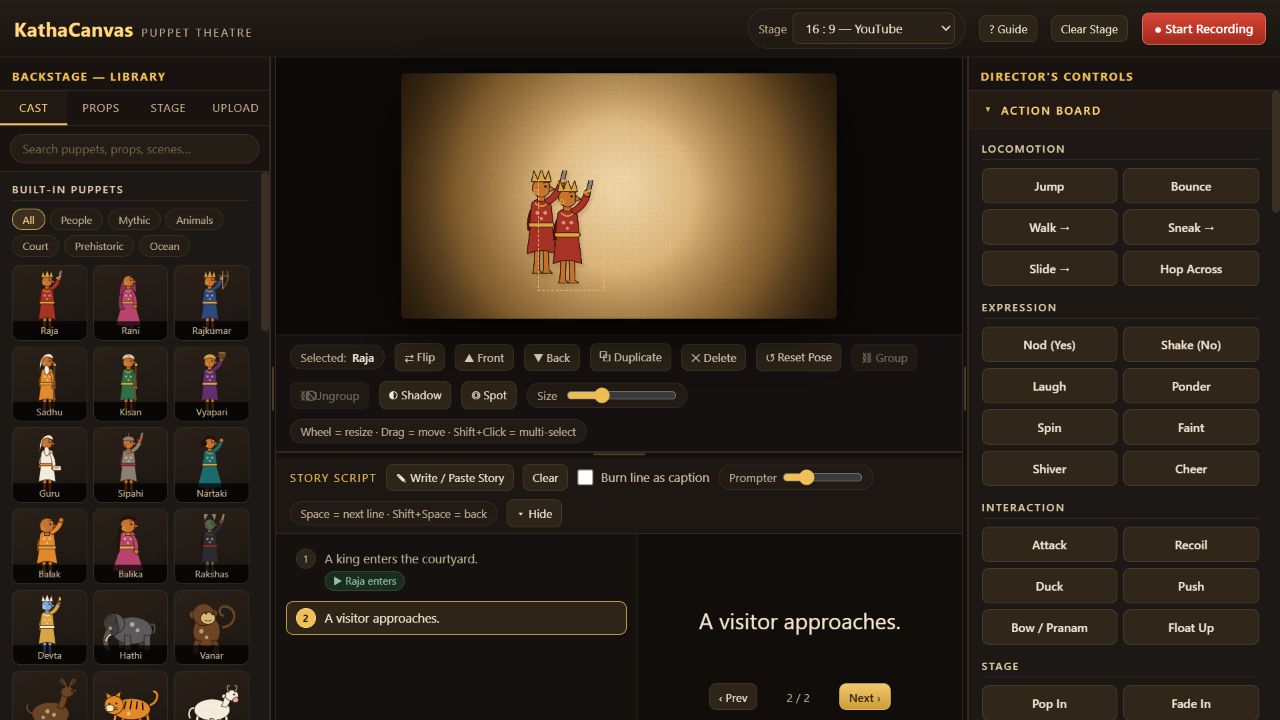
Prepare a digital puppet show in Story Setup. Choose characters, props and backgrounds for your story tray, write your script and rehearse on stage. Switch to Show On for your selected assets, script prompter, animation tools, stage effects, music mixer and recorder. Microphone access depends on the browser and hosted viewer.
Features
- Six ready-made story stages, illustrated puppets and props, keyboard animation cues, script prompter, stage effects, and music mixing
Screenshots
FAQs
Can I record a performance in the browser?
Prepare your story tray in Story Setup, then switch to Show On and choose Start Recording. The recorder mixes stage music and, when permitted, optional microphone narration. Keep the tab visible. 720p reduces processing load, and the app warns if stage rendering falls below the frame-rate target.
Will my scene and uploads be available after I close the app?
In the Pradarshak viewer, browser storage can be restricted. If you see the session-only notice, saved scenes and uploaded assets remain available only while that app session stays open. Keep copies of your source images and audio.
Reviews
No reviews yet.